
Introduction to Node.js

What is Node.js?
Node.js is an open-source and cross-platform JavaScript runtime environment. It is a popular tool for almost any kind of project!
Node.js runs the V8 JavaScript engine, the core of Google Chrome, outside of the browser.
Node.js allows you to run JavaScript on the server.
Node.js is used to develop I/O intensive web applications like video streaming sites, single-page applications, and other web applications.

Example:
Features of Node.js
Following are some of the important features that make Node.js the first choice of software architects.
- Asynchronous and Event Driven - All APIs of Node.js library are asynchronous, that is, non-blocking. It essentially means a Node.js based server never waits for an API to return data. The server moves to the next API after calling it and a notification mechanism of Events of Node.js helps the server to get a response from the previous API call.
- Very Fast - Being built on Google Chrome's V8 JavaScript Engine, Node.js library is very fast in code execution.
- Single Threaded but Highly Scalable - Node.js uses a single threaded model with event looping. Event mechanism helps the server to respond in a non-blocking way and makes the server highly scalable as opposed to traditional servers which create limited threads to handle requests. Node.js uses a single threaded program and the same program can provide service to a much larger number of requests than traditional servers like Apache HTTP Server.
- No Buffering - Node.js applications never buffer any data. These applications simply output the data in chunks.
Who Uses Node.js?
Following is the list who uses NodeJS which includes eBay, General Electric, GoDaddy, Microsoft, PayPal, Uber, Wikipins, Yahoo!, and Yammer to name a few.

Why Node.js?
Node.js uses asynchronous programming!
A common task for a web server can be to open a file on the server and return the content to the client.
Here is how PHP or ASP handles a file request:
- Sends the task to the computer's file system.
- Waits while the file system opens and reads the file.
- Returns the content to the client.
- Ready to handle the next request.
Here is how Node.js handles a file request:
- Sends the task to the computer's file system.
- Ready to handle the next request.
- When the file system has opened and read the file, the server returns the content to the client.
Node.js eliminates the waiting, and simply continues with the next request.
Node.js runs single-threaded, non-blocking, asynchronously programming, which is very memory efficient.
Concepts
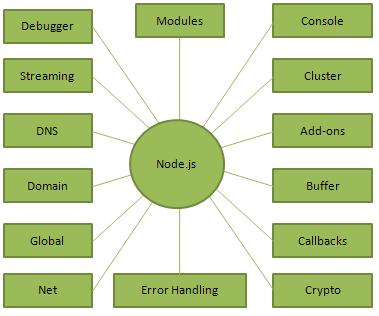
Pre-Requisite - How much JavaScript do you need to know to use Node.js?
As a beginner, it's hard to get to a point where you are confident enough in your programming abilities.
While learning to code, you might also be confused at where does JavaScript end, and where Node.js begins, and vice versa.
I would recommend you to have a good grasp of the main JavaScript concepts before diving into Node.js:
- Expressions
- Types
- Variables
- Functions
- this
- Arrow Functions
- Loops
- Scopes
- Arrays
- Template Literals
- Semicolons
- Strict Mode
ECMAScript 6, 2016, 2017 also know as ES6
With those concepts in mind, you are well on your road to become a proficient JavaScript developer, in both the browser and in Node.js.
The following concepts are also key to understand asynchronous programming, which is one fundamental part of Node.js:
- Asynchronous programming and callbacks
- Timers
- Promises
- Async and Await
- Closures
- The Event Loop
Where to Use Node.js?
Following are the areas where Node.js is proving itself as a perfect technology partner.
- I/O bound Applications
- Data Streaming Applications
- Data Intensive Real-time Applications (DIRT)
- JSON APIs based Applications
- Single Page Applications
Where Not to Use Node.js?
It is not advisable to use Node.js for CPU intensive applications.
Thank You!! That's It for this section : )
You can Watch My Hands-On Workshop on Building A TODO REST API BAckend


