
Understanding The Basics Of GitHub

This post is the Part Of Fundamentals of Git and Github and In this whole series we will learn basic to advanced concepts related to Git and Github
Let's Begin
If you are a beginner and don't know how to use Github then this post is for you. In this post, I will guide you on how to use the Github account in an easy way.
GitHub is a website and service that we hear geeks rave about all the time, yet a lot of people don't really understand what it does. Want to know what all GitHub is about? Read on to find out.
First, we will need a Github account. If you don't have a Github account then click here to create a Github account else you can continue reading the post, if you already had one.
After having the Github account login into your account and now we are ready to use Github and understand the Github environment.
Let's first understand few terminologies mentioned below:
What is Github?
GitHub is a code hosting platform for collaboration and version control and lets you (and others) work together on projects.
What is Github Profile?
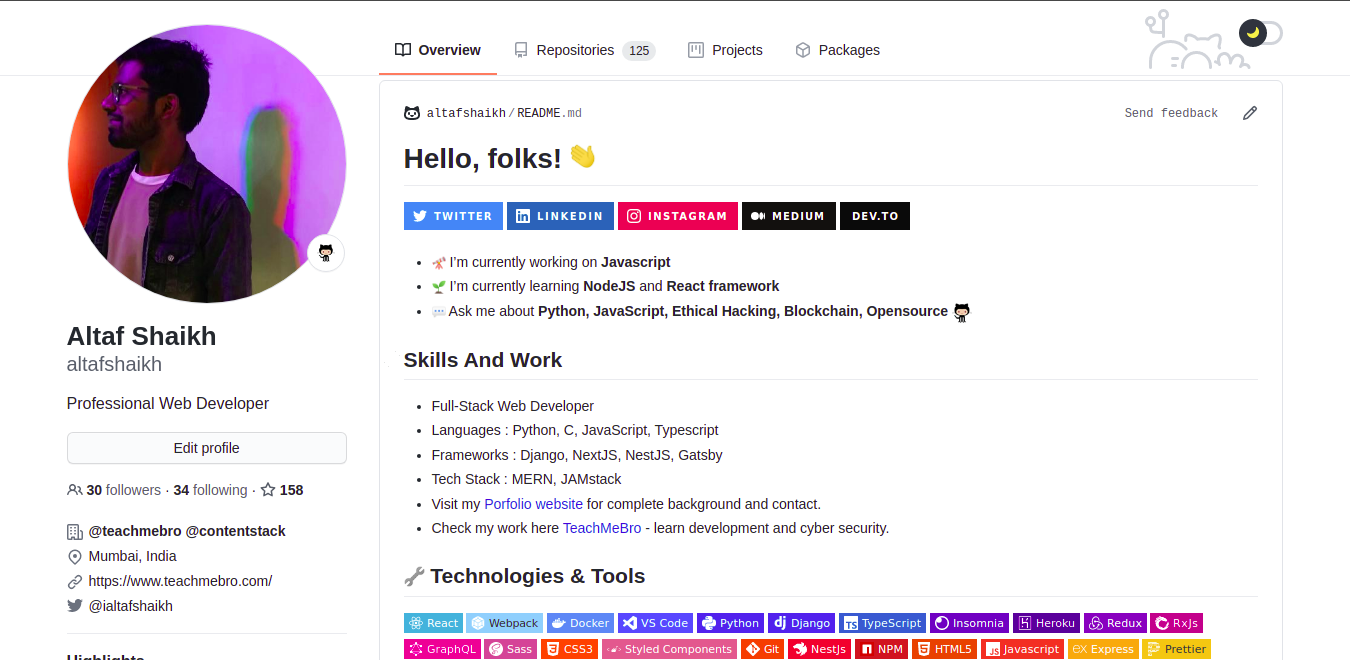
A GitHub Profile is just like any other social media profile, like a Facebook or Twitter profile, except for the fact that it's for GitHub. It's also very programming-centric and helps promote the visibility of your GitHub-hosted projects and a Github profile link looks like this https://github.com/username/
For example, my Github username is altafshaikh so my Github profile link will be https://github.com/altafshaikh/.
Let's see how a Github profile looks like...
What is meant by contribution and contribution graph?
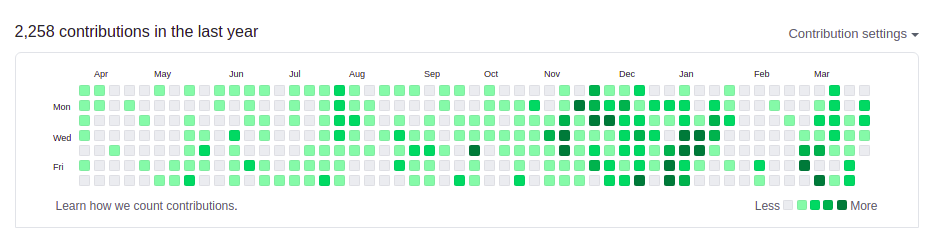
Your profile contributions graph is a record of contributions you've made to GitHub repositories. Contributions are timestamped according to Coordinated Universal Time (UTC) rather than your local time zone.
Let's see how a Github Contribution Graph looks like...
What is a Repository or Repo?
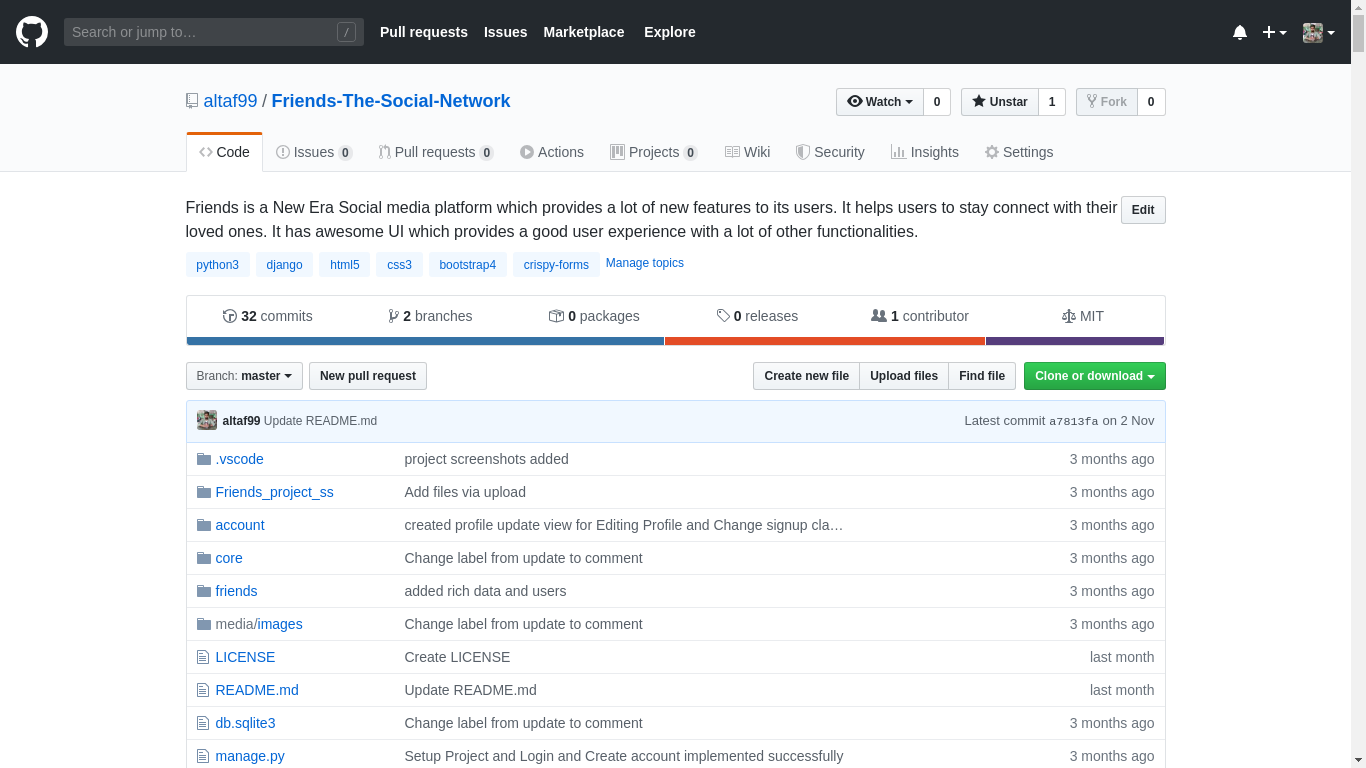
A repository (usually abbreviated to "repo") is a location where all the files for a particular project are stored. Each project has its own repo, and you can access it with a unique URL.
Let's see how a Github Repository looks like...
Repository Overview
How to download a project or repository from Github?
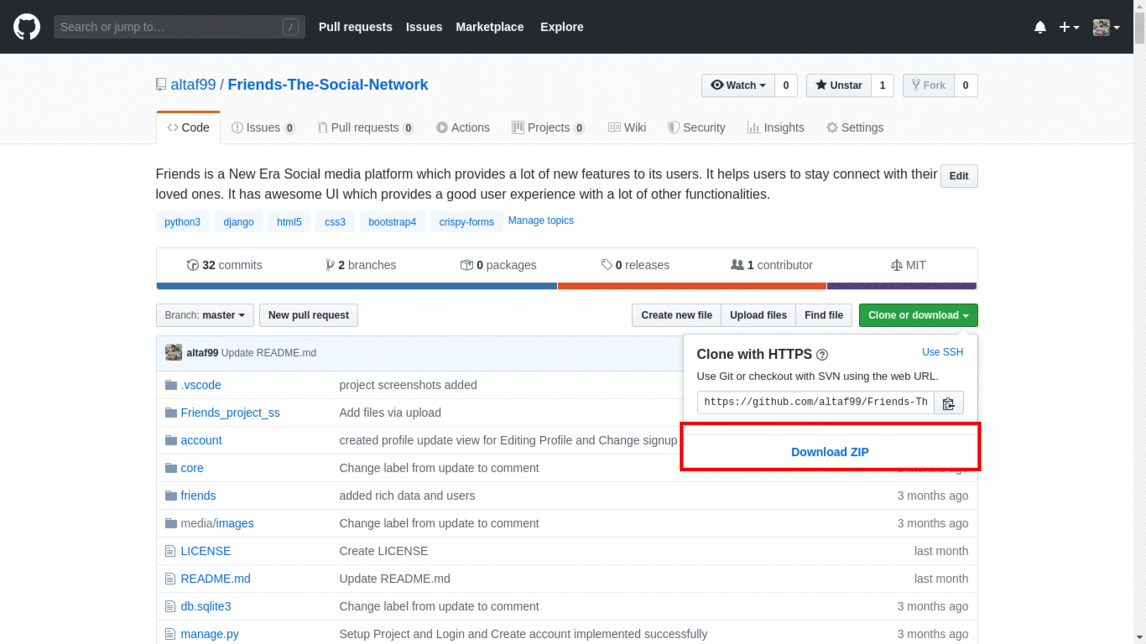
There are mainly two ways in which you can download a repository from Github.
Direct downloadzip from the repository and extract it.
- Using
git clonecommand to clone or download the repository directly into your local machine via terminal. (we will learn more about git and git commands in further posts)
git clone https://github.com/altafshaikh/Friends-The-Social-Network.git
PS: Some Screenshots used in this article are old when my username was different, so don't get confused just stick to the concept : )
How to create a Github repository?
- Click on
+ - Click on
New Repository
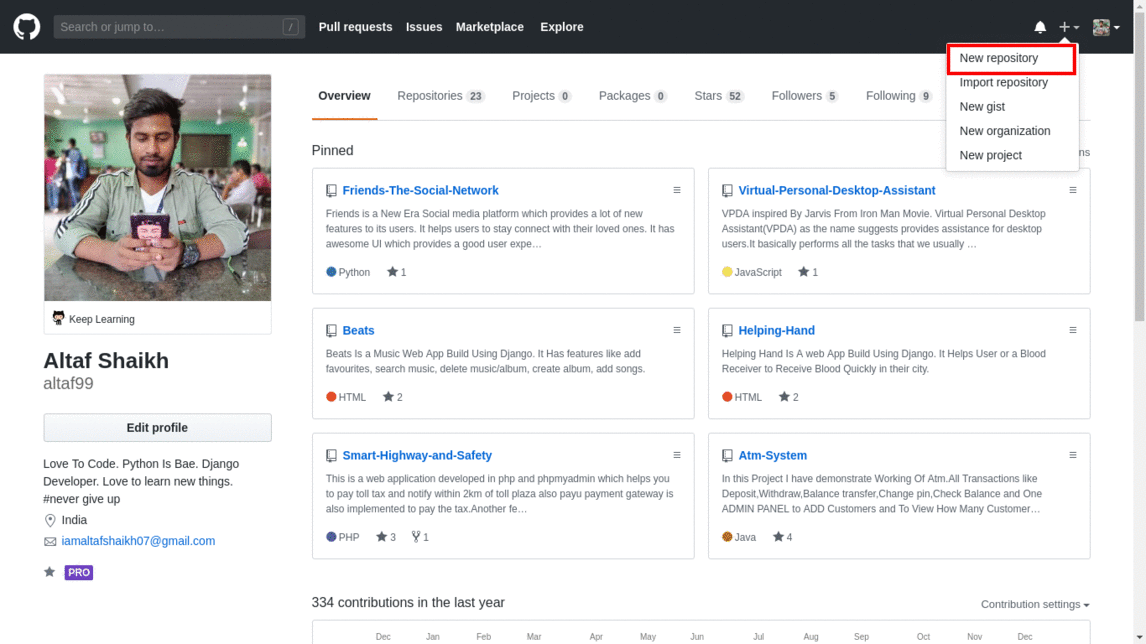
- Fill in the details of the repository.
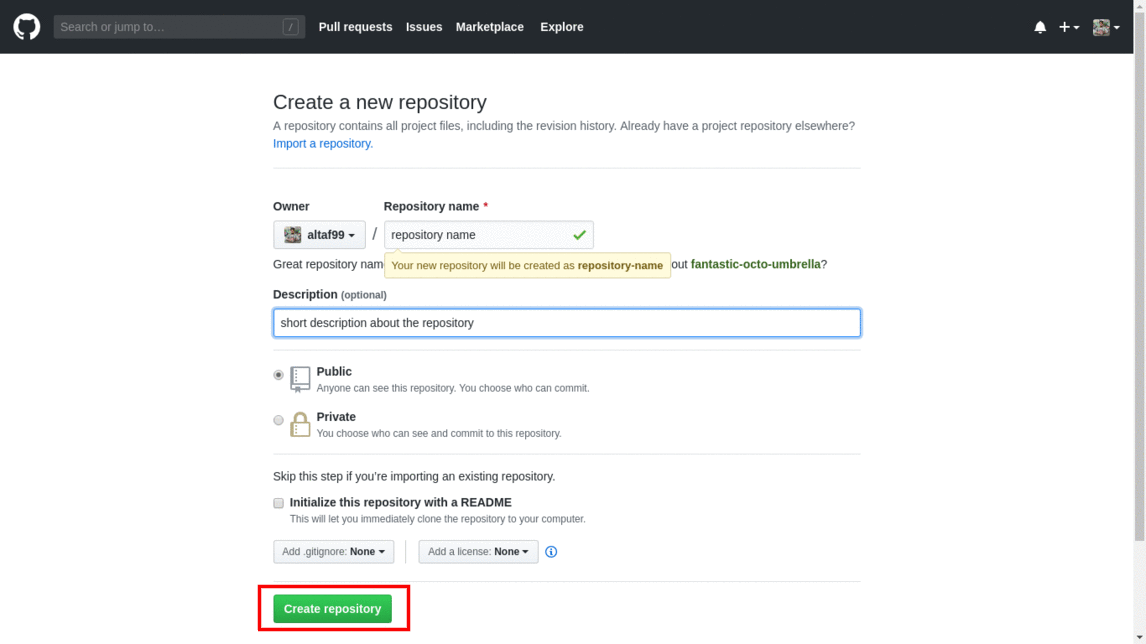
- And Hit on the
Create Repositorybutton to create the repository.
Congratulations, you have learned the basics of Github and how to use it. In further posts, we will learn moreadvanced concepts. I hope you enjoyed the post.
`Thank you for reading my post and I will bring more such posts so stay tuned with me.


